Give Your Flag Football League One Public Page to Follow All Season
Share a public league page connected to the information you already manage in FlagPoint. Players, staff, and fans can follow schedules, standings, results, and league updates without access to the organizer dashboard.
No registration fees. Get 50% off your first season.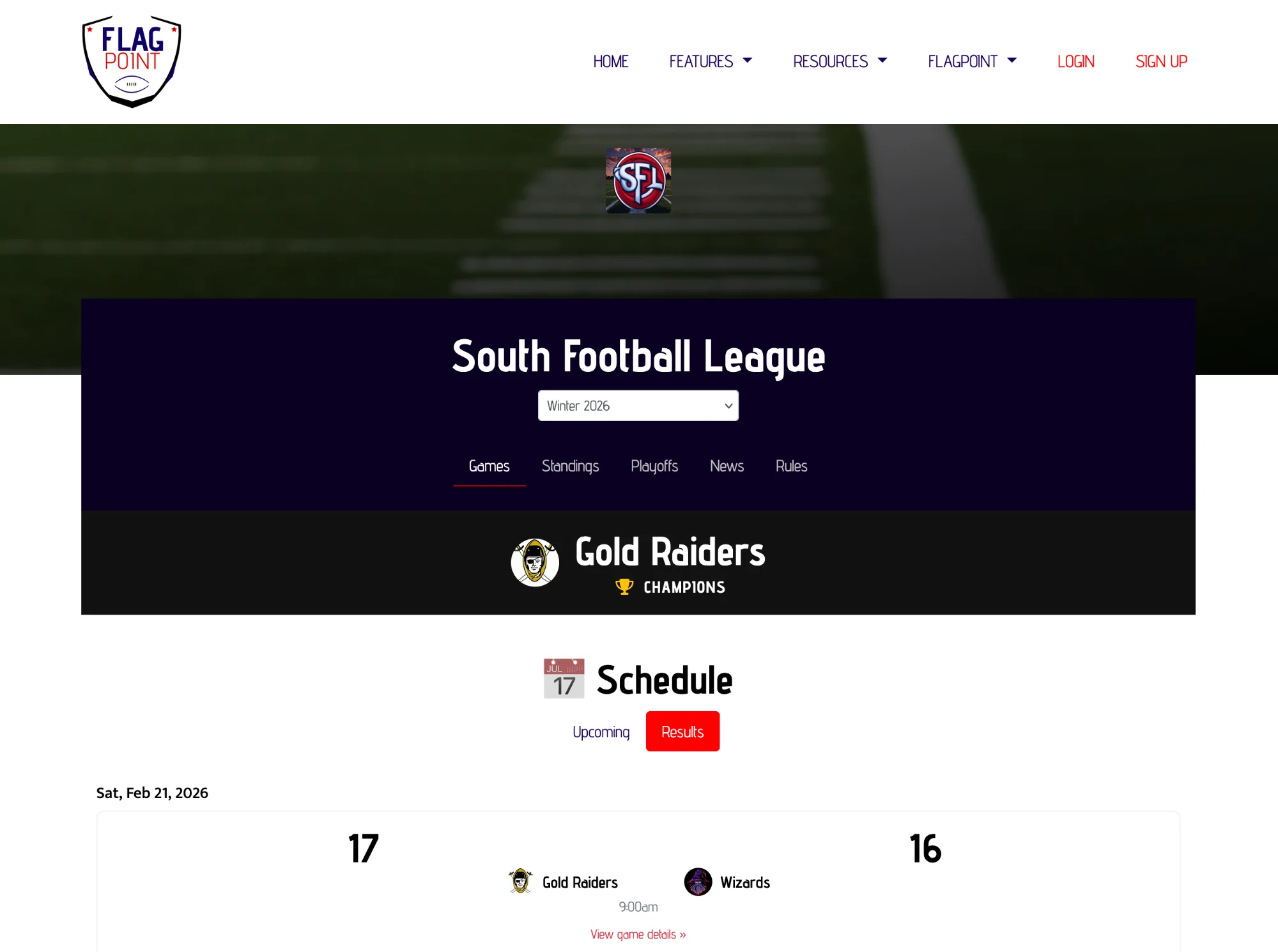
What should a flag football league website include?
A useful flag football league website should make the information players check most often easy to reach: the current schedule, standings, game results, league updates, and basic league information. FlagPoint connects the public league page to the same season data the organizer manages in League Manager.
What This Feature Helps You Do
Keep the work connected to the rest of the season instead of creating another standalone file or tool to maintain.
From Setup to Game Day
LeagueAssist keeps the next action clear while the feature stays connected to the league you are already managing.
Create the league
Your public league page starts with the league information inside League Manager.
Run the season
Add the season, teams, schedule, scores, standings, and updates as the league progresses.
Share the public link
Send players to the league page instead of giving them access to the private organizer tools.
A League Website Works Best When the Organizer Does Not Have to Update It Twice
A public sports page is valuable because it gives players somewhere to check before asking the organizer. But if the website is disconnected from the schedule and standings system, it becomes one more place that has to be maintained.
FlagPoint’s public league page is connected to League Manager, so the organizer can manage the season and provide a player-facing destination from the same product.
This feature works alongside team management, scheduling, scores, standings, playoffs, and your public league page so the season stays in one connected workflow.
Public League Website FAQs
Common questions league organizers ask when planning and managing a flag football season.
What should a flag football league website include?
At minimum, players should be able to find the league schedule, standings, game results, and important updates. Clear league information and a mobile-friendly layout also make the page more useful on game day.
Do players need access to the organizer dashboard?
No. The public league page is separate from the private League Manager tools, so players can follow league information without organizer access.
Can a league website show schedules and standings?
Yes. FlagPoint’s public league page is built to give the league a public destination for season information that is connected to League Manager.
Why use a public league page instead of a spreadsheet link?
A league page gives players a clearer destination and keeps the public experience tied to the system where the organizer manages the season, reducing the chance that an old spreadsheet link keeps circulating.
Can I share the league page in group chats or social media?
Yes. The public league URL can be shared anywhere you communicate with teams, including group chats, registration information, social profiles, and league announcements.
Can I see an example FlagPoint league page?
Yes. FlagPoint has public league pages already in use. Use the example league link on this page to see the player-facing experience.
Related League Manager Features
Run More of Your Flag Football League From One Place
Start with the league you have today, then use LeagueAssist to move from setup to teams, schedules, scores, standings, playoffs, and game day.
Start Your League Today