Track Flag Football Scores and Keep the Rest of the Season in Sync
Enter completed game scores by week from a phone, tablet, or computer. The result stays connected to the scheduled game so standings and the rest of the league workflow can use the same data.
No registration fees. Get 50% off your first season.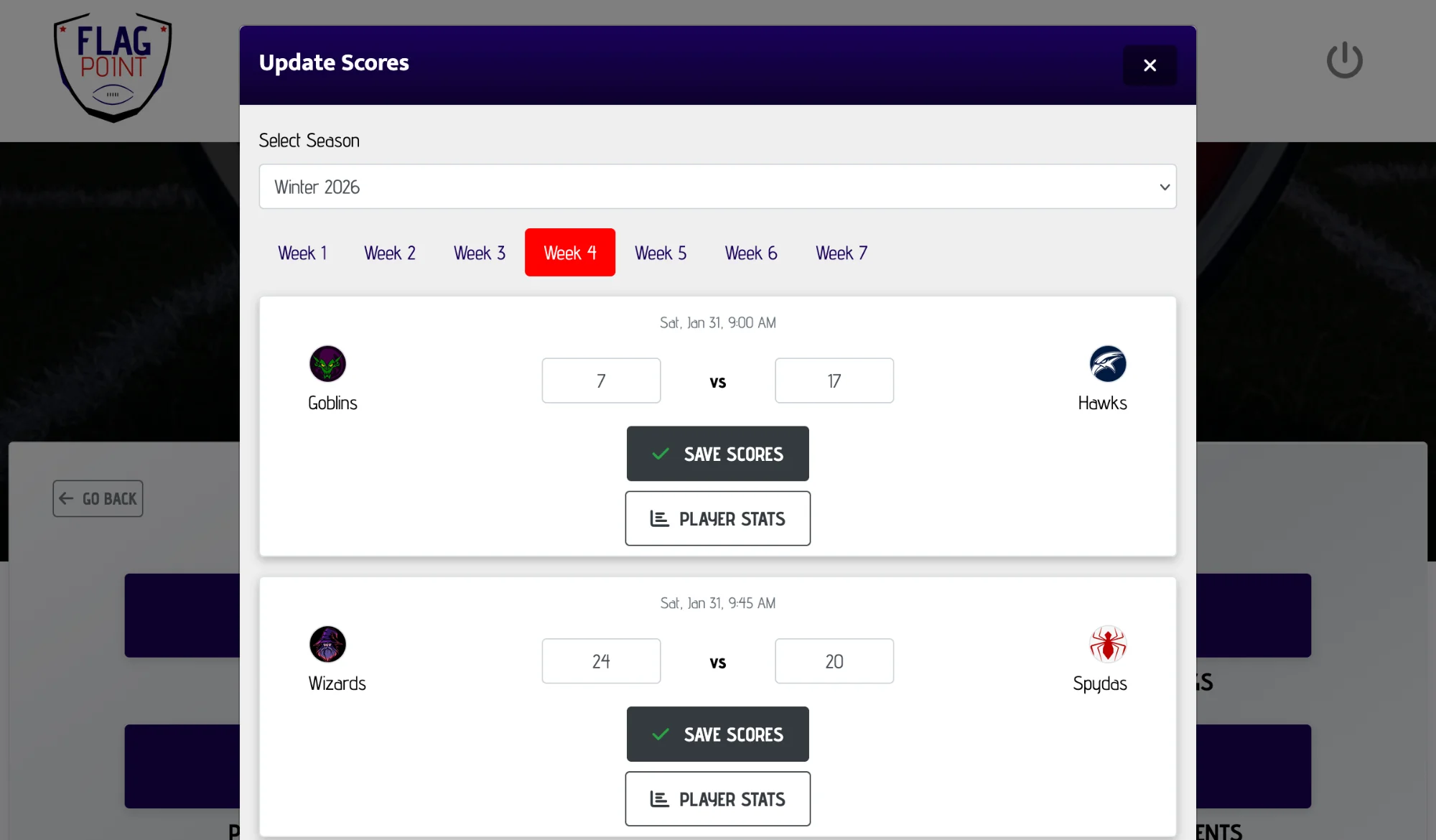
What is the easiest way to track flag football league scores?
The simplest league workflow is to enter each final score directly against the scheduled game instead of keeping a separate score sheet. FlagPoint groups games by week, lets organizers update completed games, and keeps those results connected to standings and playoff management.
What This Feature Helps You Do
Keep the work connected to the rest of the season instead of creating another standalone file or tool to maintain.
From Setup to Game Day
LeagueAssist keeps the next action clear while the feature stays connected to the league you are already managing.
Open the season
Choose the league and season that contains the completed game.
Find the game week
League Manager groups scheduled games so the organizer can move through the season.
Save the final score
Enter the home and away result and keep the season data connected.
One Final Score Should Not Create Three More Admin Tasks
A final score affects more than one screen. It changes a team’s record, the league standings, the playoff picture, and the result players expect to see. Re-entering that score across different tools is where errors and old information start to appear.
FlagPoint stores the result against the league game so it remains part of the same season data used by League Manager.
This feature works alongside team management, scheduling, scores, standings, playoffs, and your public league page so the season stays in one connected workflow.
Score Tracking FAQs
Common questions league organizers ask when planning and managing a flag football season.
How do you keep track of scores in a flag football league?
Use a schedule-based score workflow where every result belongs to a specific game. This makes it easier to identify which teams played, when the game happened, and which standings record should change.
Can I enter flag football scores from my phone?
Yes. FlagPoint League Manager is designed to work on mobile and desktop screens, so organizers can enter results from the field or from a computer later.
Do scores update flag football standings?
In FlagPoint, score entry and standings are part of the same League Manager system. Completed game results provide the data used to maintain team records.
When should league scores be entered?
Enter the final result after the game has been completed and the score is official for your league. FlagPoint keeps future games separate from games that are ready for score entry.
Can a score be connected to player stats?
Yes. Plus and Pro organizers can record player stats for eligible games in addition to the team score.
Why is schedule-based score tracking better than a spreadsheet?
It reduces duplicate work because the score is tied directly to the game already used by the season schedule and standings instead of being copied between separate files.
Related League Manager Features
Run More of Your Flag Football League From One Place
Start with the league you have today, then use LeagueAssist to move from setup to teams, schedules, scores, standings, playoffs, and game day.
Start Your League Today